
BACGuestWiFi
Guests on campus can connect to BACGuestWiFi by selecting the network and using the password:
RedLions2026
Windows
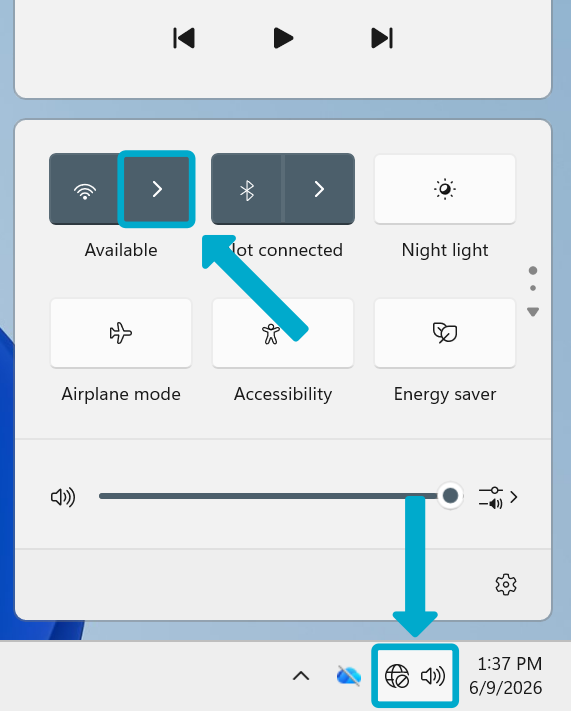
- Open the Quick Access panel in the taskbar
- Click the arrow by the Wi-Fi symbol
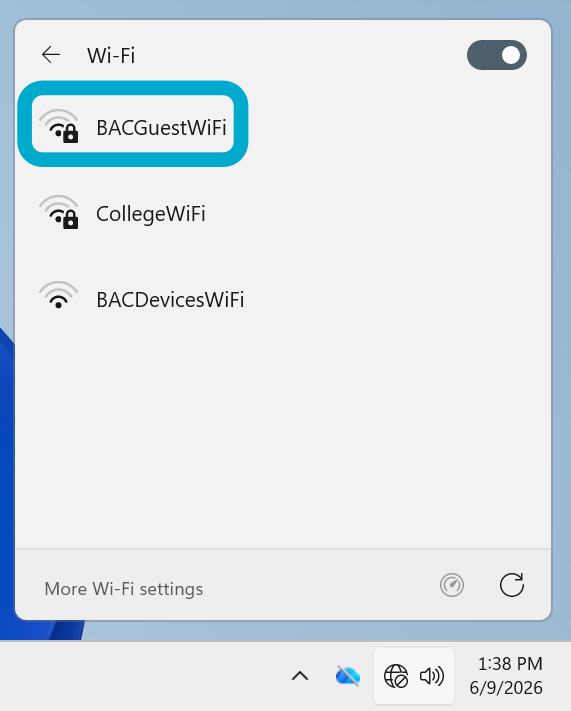
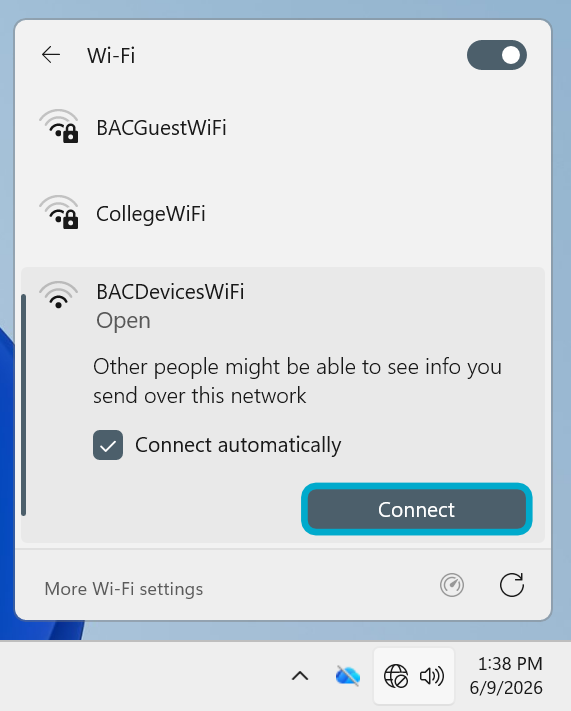
- Select BACGuestWiFi then Connect
- Enter the password {{@69#bkmrk-bacguestwifi-pw}}
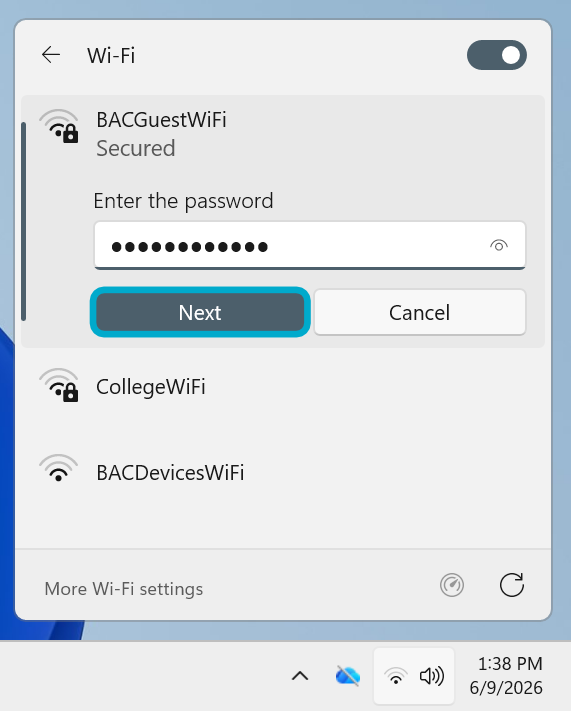
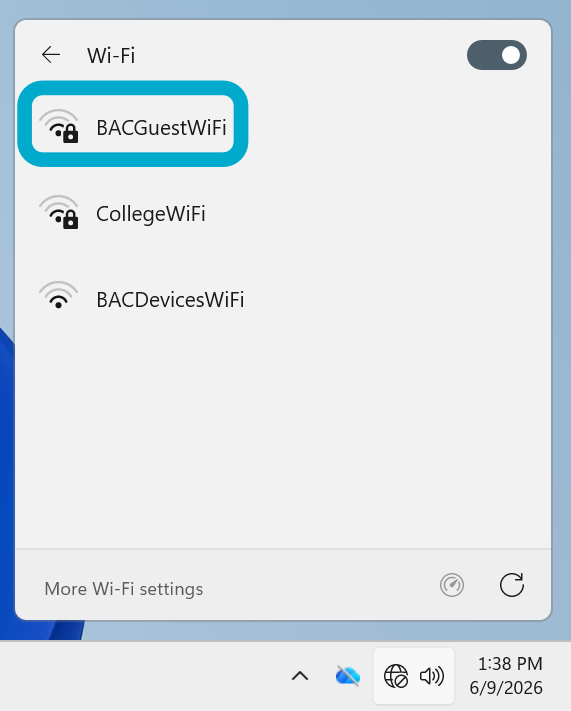
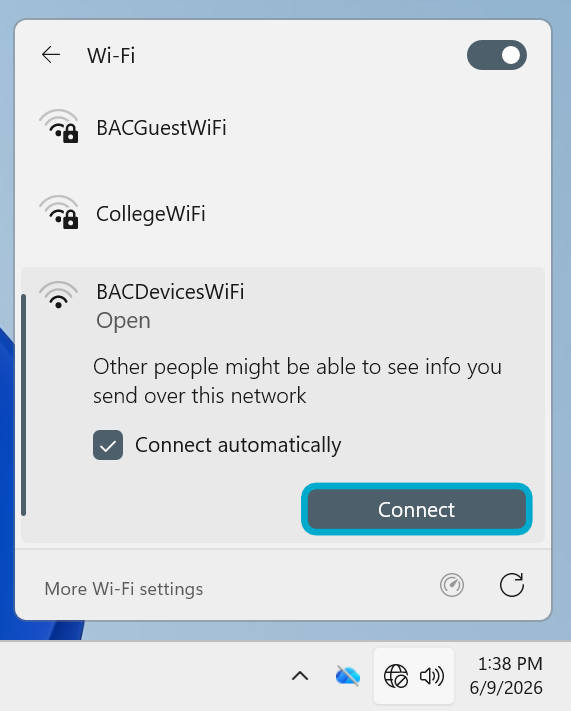
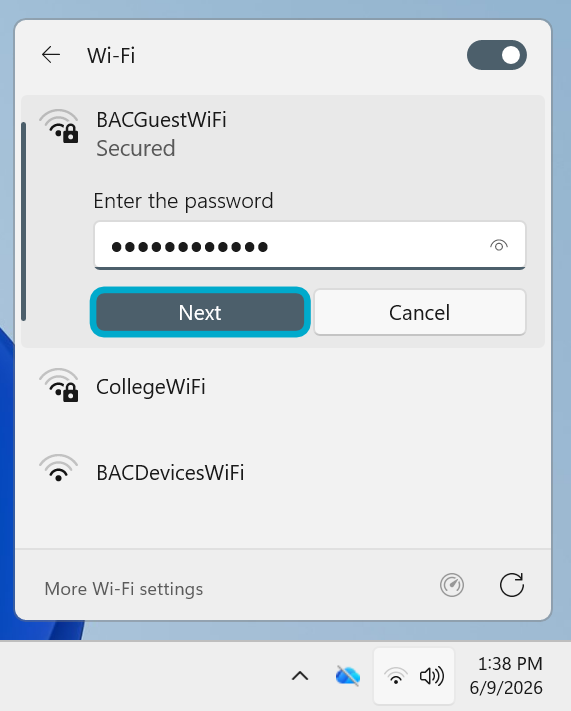
You should now be connected. If not, contact the Helpdesk.
MacOS
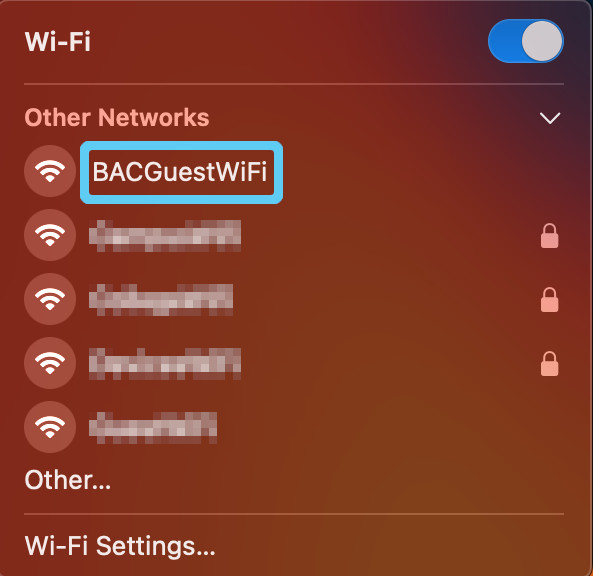
- Open your Wi-Fi menu in the top right of your screen by clicking on the Wi-Fi symbol.

- Click on BACGuestWiFi from the dropdown menu of options that appears. This should open a
pop-up window.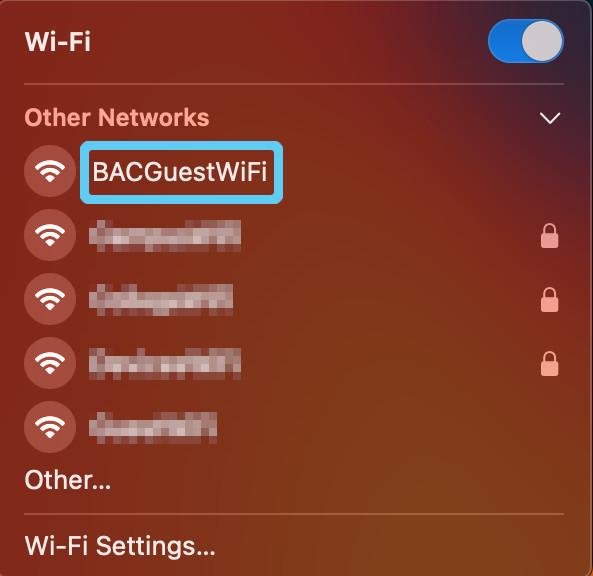
- Enter the password {{@69#bkmrk-bacguestwifi-pw}}

You should now be connected. If not, contact the Helpdesk.