Setting up Microsoft Authenticator
Head to https://myaccount.mysignins.microsoft.com/security-info and sign in using your Bryn Athyn College Microsoft 365 account.
WhileSelect Add sign-in method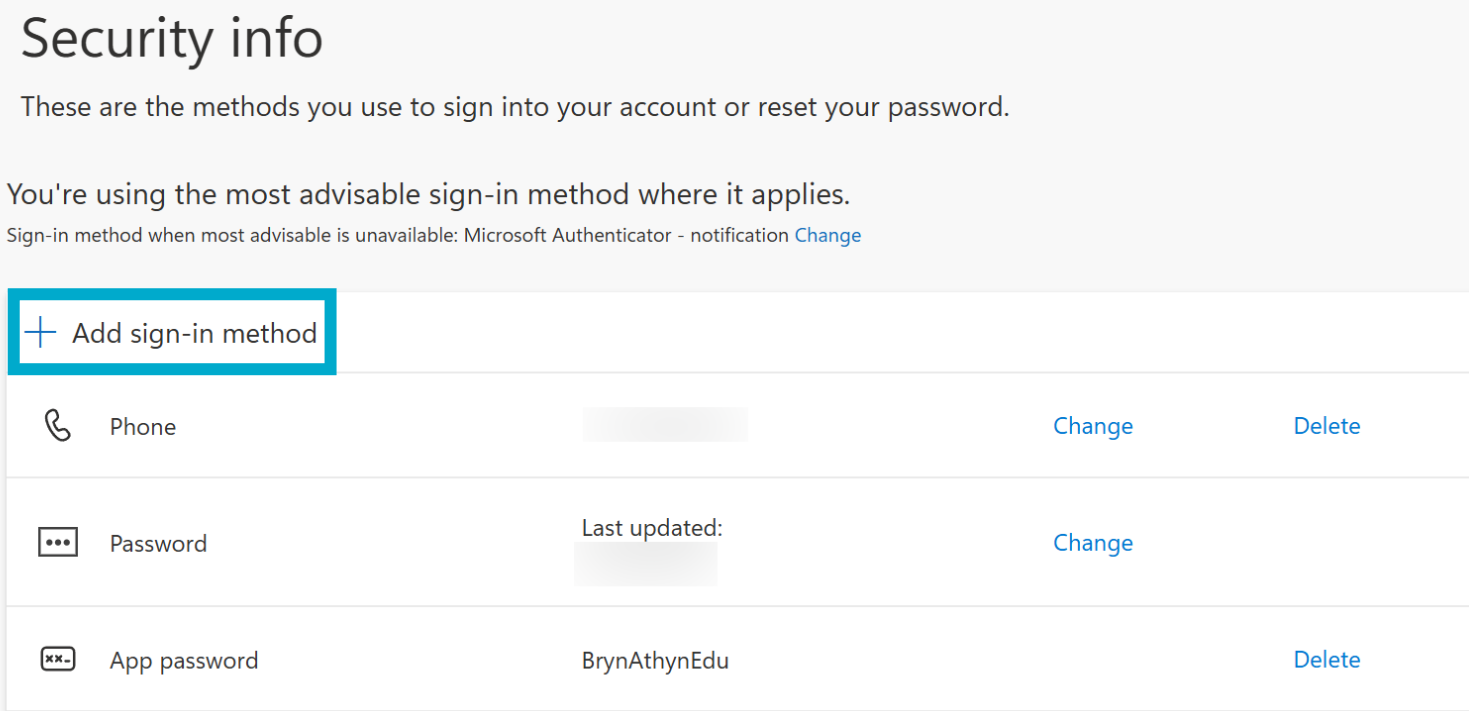
Select Microsoft Authenticator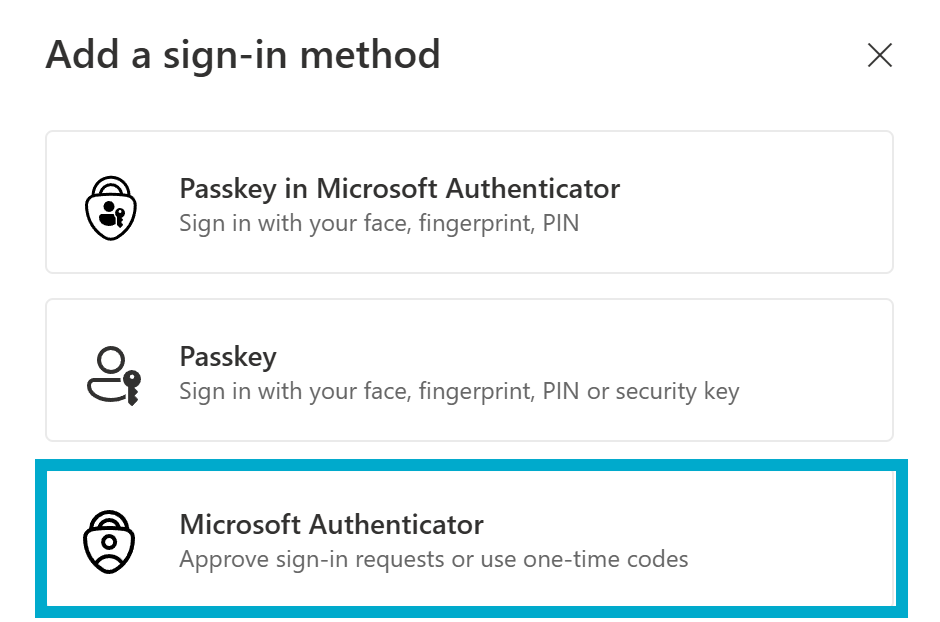
Download the OverviewMicrosoft tab,Authenticator clickapp UPDATEon INFOyour underphone. It is available via the SecurityApple infoApp heading.Store or the Google Play Store. Scan the QR code with your phone to get to the app store listing for your device.