
What is my username and password?
Your network account at Bryn Athyn College is synced across multiple systems. This document explains what your credentials are and how to format them when logging in with different systems.
Username
- Most people's usernames will have the following structure:
<firstname>.<lastname>(e.g.john.smith) - Some faculty and staff who have had accounts since 2022 or earlier have legacy usernames:
<firstinitial><lastname>(e.g.jsmith)
If your name is too long to fit within the 20-character limit, it may have been shortened. Refer to the account creation email sent to you by the Helpdesk.
Password
Your Bryn Athyn College network account's password is synced from your Microsoft 365 account to other systems:
- CollegeWiFi
- College-owned Windows Devices
- Work laptops / PCs, Public PCs (Library / Design Labs)
- OCLC
Your password does NOT sync with the following:
- apply.brynathyn.edu
- SONIS
To change your Microsoft 365 account password, see Resetting your Password.
After changing your password with Microsoft 365, it can take up to 15 minutes to sync to other systems.
- All emails have the following structure:
<username>@<domain>(e.g.john.smith@brynathyn.edu) - All students use the
@brynathyn.eduemail domain. - Some Faculty & Staff may have another email domain, such as
@anc-gc.org,@newchurch.org- Additionally, some Faculty & Staff may have an email alias, which should only be used to receive emails.
When to use email vs username
Use your email to log in to Microsoft 365 products such as Outlook, Microsoft Authenticator, or when authenticating with Moodle.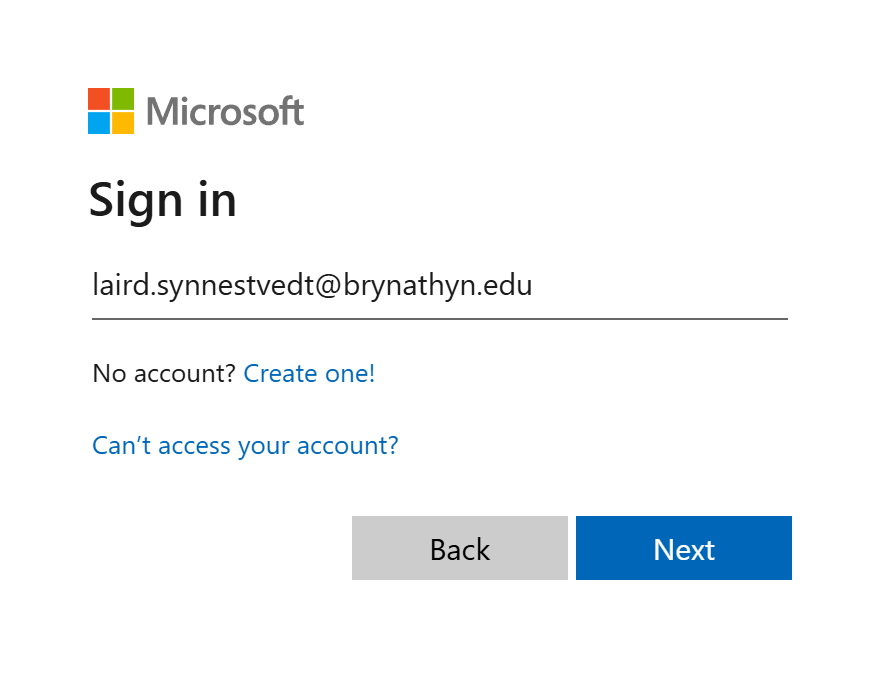
Username
Use just your username when:
- Connecting to CollegeWiFi
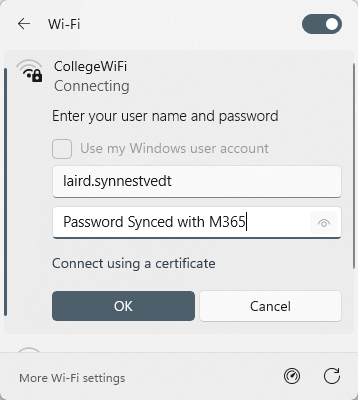
- Signing into college-owned Windows devices
- Work laptops
- College Public Computers
- Library / College Center public computers
- Library / Doering Center design lab computers
- Accessing the Library's Electronic Resources via OCLC